Showing posts with label windows. Show all posts

Sep 11, 2009

Jade Style Theme


Includes 5 Shell Styles and 4 Color Schemes.
Download HERE.
Extract with Winrar.
ENJOY :]


Links are deleted due to copyright issues. 

Sep 6, 2009

White Vista Theme For Windows

An all-white theme with black taskbar and 4 color schemes.


Tested on Windows XP.
Download HERE.
Extract with Winrar.
ENJOY :]


Links are deleted due to copyright issues. 

Sep 3, 2009

Royale Theme For Windows

Royale Color Scheme

Royale Noir Color Scheme


Download Royale Theme HERE.
Extract with Winrar.
ENJOY :]


Links are deleted due to copyright issues. 

Aug 28, 2009

The Plex Styles

Plex Styles

~includes 6 Color Schemes


Plex M3

Plex M6

Plex M6 (New Takbar)

Plex M6 ICE

Plex M6 ICE (New Taskbar)


Download Plex Styles HERE.
Extract with Winrar.
ENJOY :]

Links are deleted due to copyright issues. 

Aug 23, 2009

Another Vista VG for Windows XP


This theme works with Windows XP.

Download Vista VG HERE.
Extract with Winrar.
ENJOY :]


Links are deleted due to copyright issues.  

Aug 19, 2009

Need For Speed Pro Street Theme


This theme includes Diamond Vista Theme For Windows XP and Need For Speed Pro Street Wallpaper.
Download HERE.
Extract with Winrar.
ENJOY :]


Links are deleted due to copyright issues. 

Vista Inspirat Transformation Pack 2 For Windows XP


This is how it looks like.
I recommend this one.
From crystalxp.net

Download HERE.
Extract with Winrar.
ENJOY :]


Links are deleted due to copyright issues.  

Aug 16, 2009

More Customized Cursors (Zelda, Mario, and Worms 3D)

These are some additional selections if you wanted to change your current cursors.


Legend of Zelda cursors


Worms 3D cursors


Mario cursors


ENJOY :]

Links are deleted due to copyright issues. 

Aug 15, 2009

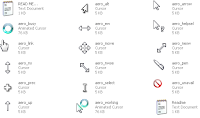
Vista Cursors For Other Operating Systems and How To Install Them


This is a collection of Vista cursors that is applicable to other Operating Systems.


How to install/use cursors:
  1. My Computer ->>>C: Hard Drive ->>>Windows folder ->>>Cursors folder
  2. Create a new folder with any name you prefer.
  3. Copy the cursors you want to add to the folder you just created.
  4. Now to use them go to Start ->>>Control Panel.
  5. For Windows 98 and ME, double click on the Mouse icon. For Windows XP, double click on the Printers and Other Hardware ->>> Mouse icon.
  6. Click on the Pointers tab.
  7. There you will see a list of cursor events under the Customize box.
  8. Click on to highlight an event use the Browse box below to navigate to the folder you created.
  9. Open the folder you created and pick which ever cursor you want to use for each.
  10. Then save your settings and you're done :]


Download HERE.

Extract with Winrar.

:]

Links are deleted due to copyright issues. 

Aug 8, 2009

LongHorn Pro XP Theme + War Rock


LongHorn Pro XP theme with War Rock Wallpapers


Download HERE.
Extract with Winrar.

ENJOY :] 


Links are deleted due to copyright issues.
---------------------------------

Share you links and EARN!!!
Click HERE.


Forever Blue XP Theme + Final Fantasy


Links are deleted due to copyright issues.

Forever Blue theme for Windows XP with Final Fantasy and Worms Wallpapers.

Download HERE.
Extract with Winrar.


ENJOY :]
---------------------------------

Share you links and EARN!!!
Click HERE.